

|
|


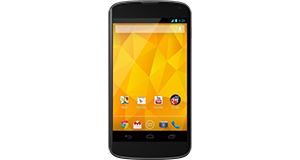
CAT B15 overview
Number of problems: 51
Number of solved problems: 10
Number of unsolved problems: 41
Problem resolution: 20%
Compared to other mobile phones:
CAT B15: Likelihood of getting a solution
Ranking: 53rd out of 208
Most likely to get a solution:
HTC Salsa - problem resolution score of 100%
HTC Salsa - problem resolution score of 100%
Least likely to get a solution:
Nokia Asha 206 - 8 out of 28 problems solved
Nokia Asha 206 - 8 out of 28 problems solved
Solved problem list for the CAT B15
(Click on a problem to see the solution)Jump to page:
[1] [2]
The battery life is too short - the battery runs out quickly! This is a new phone, too!
I dropped my phone in water and now it's off. What do I do?
I can't take any photos any more.
The speaker doesn't work.
How do I improve battery life? It's not very good at the moment.
The screen has a strange purple tint. Is it broken?
The phone keeps restarting randomly. I can't get anything done because I keep having to sort it out after my phone reboots.
Can not get GPS to lock onto my position, no matter how long I leave it search. Even downloaded GPS status and toolbar, as that seemed to improve previous phones GPS.now the toolbar app just stays searching, won't even display 1 satellite...??
I need a reliable GPS for work..is this phone just not reliable?
Microphone malfunction.
My phone is frozen and won't respond.
Unsolved problem list for the CAT B15
(Click on a problem to comment or help)Where can I get a replacement rubber cover for the USB charging port? Rounded and Tan Star are out of stock. Rounded says they're out of stock forever.
The camera is in front facing mode. There is no button on the screen to return it to rear facing mode. How do I change it back?
Can't connect to camera?
i had a problem with camera .when i go to take a picture it says can't connect to camera
When i try to text it goes to the voice text and wont work and i cant change it back to normal. Please help my husband is driving me crazy about his phone
Ringtone is set to Outdoor Profile and volume to max, but it is still extremely soft when ringing and I constantly miss important calls.
My phone wont start when I press the non button.When I connect my charger,theres indication on the screen of battery charging but wont come on when I pess the on button.
hey guys i have a problem with my B15 phn,,theres a message always pop out like UNFOURTUNATELY,SYSTEM HAS STOPPED,,,,ANY IDEA???
my phone has a message on the screen saying "unfortunately google search has stopped"
but no wi fi or data no blue tooth are on
cannot use phone or text ...message keeps popping up
my phone died on me today on my way to work, i charged it an i wont turn on, if you hold the power button it'll light up a black screen but when i remove my finger from the power buttom the it shuts back off, help! i was gonna sell my dirt bike today an now i cant get ahold of the guy!
My phone people can hear me but I can't hear them what is wrong
Solutions for the CAT B15
0 people also had this problem.
Problem: The battery life is too short - the battery runs out quickly! This is a new phone, too!
There are 0 comments on this problem.
Solution 1: Different phones have wildly different battery needs. Generally speaking, the bigger the screen and the more functions in use (e.g. bluetooth, wifi, gps etc), the faster your battery will run down. Google "Typical Battery life" for your phone and see what other people are getting. If you are getting much (more than about 40%) worse battery life and you have turned off all unnecessary applications, functions and services, your phone may have other issues and you should contact the manufacturer / your retailer to investigate further.
0 out of 0 people found this solution helpful.
Was this solution helpful?
There are 0 comments on this solution.

0 people also had this problem.
Problem: I dropped my phone in water and now it's off. What do I do?
There are 0 comments on this problem.
Solution 1: Cut the power. Do this now. Don't turn it on.
In an ideal world, you would remove the battery to make sure there is no power going through the phone. The two main types of damage you are likely to do to your phone if it's been exposed to water are:
(1) Short circuit - power running though the phone could short circuit the electrical components inside. Cut the power immediately to minimise this risk.
(2) Corrosion - the internals of the phone are not designed to come into contact with water and are likely to corrode more quickly. But there's not a lot you can do about this.
Best advice, remove the power and leave it a good, long time (days and days, not hours and hours) before you turn the phone on. If you are lucky and you cut the power in time, you might get away with it. Pour away any water you can that's trapped inside, then give the rest of the water enough time to evaporate away.
0 out of 0 people found this solution helpful.
Was this solution helpful?
There are 0 comments on this solution.
0 people also had this problem.
Problem: I can't take any photos any more.
There are 0 comments on this problem.
Solution 1: Have you checked how much storage space you have left? You might need to move some photos off your phone and onto your computer.
0 out of 0 people found this solution helpful.
Was this solution helpful?
There are 0 comments on this solution.
0 people also had this problem.
Problem: The speaker doesn't work.
There are 0 comments on this problem.
Solution 1: Obvious solution first - have you checked all of the different volume settings? Some phones have more than one volume setting and you might have to check the instructions to see if there are any other volume settings. If this is not the case, have you caused any damage to the speaker, by dropping the phone or inserting anything into the speaker? Check for signs of damage.
Also check the phone isn't in a silent mode or a do not disturb profile.
0 out of 0 people found this solution helpful.
Was this solution helpful?
There are 0 comments on this solution.


