

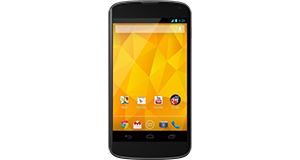
|
|


Huawei Ascend P6 overview
Number of problems: 46
Number of solved problems: 11
Number of unsolved problems: 35
Problem resolution: 24%
Compared to other mobile phones:
Huawei Ascend P6: Likelihood of getting a solution
Ranking: 36th out of 208
Most likely to get a solution:
HTC Salsa - problem resolution score of 100%
HTC Salsa - problem resolution score of 100%
Least likely to get a solution:
Nokia Asha 206 - 8 out of 28 problems solved
Nokia Asha 206 - 8 out of 28 problems solved
Solved problem list for the Huawei Ascend P6
(Click on a problem to see the solution)Jump to page:
[1] [2]
The battery life is too short - the battery runs out quickly! This is a new phone, too!
My phone is frozen and won't respond.
I can't take any photos any more.
How do I improve battery life? It's not very good at the moment.
Microphone malfunction.
The screen has a strange purple tint. Is it broken?
the phone is not switching on anymore
My huawei ascend p6 decided to turn off and not respond again.
I tried connecting it to the charger and no indication of life, I connected it to the USB port and it was recognized in the computer and then failed.
Anything any of you can offer to fix the problem?
I dropped my phone in water and now it's off. What do I do?
The speaker doesn't work.
Unsolved problem list for the Huawei Ascend P6
(Click on a problem to comment or help)my phone get hot so mush and laggy in games
Everything about my phone is fine, except by it's microphone. When I call someone they can't hear me well at all, while I can hear them just fine. They say it sounds like I'm talking a meter away from the microphone. If you have a solution (maybe it's software related?), please tell me.
M using p6 ascend it is getting hot n laggy very afterv2 3mints of usage charging is also getting low though m not using it much plz suggest me some good thing :-(
My p6 keeps restarting
when im calling someone from my Ascend P6, the person cannot hear me. its too soft.
iv checked all the settings. all are on maximum.
the only way to have a conversation with someone is through the speaker
hey,
After update B520 the GPS won't find a fix anymor
My Huawei is barely one year old, I tried to switch it on yes but is not recognizing any network. Please advise
Huawei Ascent P6 when I shut the phone down and restart it, it always restarts in airplane mode. I tried a few things like changing setting and making sure phone is not in airplane mode when shutting down but always get the same results.
while calling i cant here anything if i am putting it in loudspeaker.wat is d problem wat i want to do.with out loudspeaker its fine i can here
Phone won't charge. Just past 1st birthday.
Solutions for the Huawei Ascend P6
0 people also had this problem.
Problem: The battery life is too short - the battery runs out quickly! This is a new phone, too!
There are 0 comments on this problem.
Solution 1: Different phones have wildly different battery needs. Generally speaking, the bigger the screen and the more functions in use (e.g. bluetooth, wifi, gps etc), the faster your battery will run down. Google "Typical Battery life" for your phone and see what other people are getting. If you are getting much (more than about 40%) worse battery life and you have turned off all unnecessary applications, functions and services, your phone may have other issues and you should contact the manufacturer / your retailer to investigate further.
0 out of 0 people found this solution helpful.
Was this solution helpful?
There are 0 comments on this solution.

0 people also had this problem.
Problem: My phone is frozen and won't respond.
There are 0 comments on this problem.
Solution 1: Do a hard reset. Hold the power button down for ten seconds or so, or Google how to do a hard reset.
0 out of 0 people found this solution helpful.
Was this solution helpful?
There are 0 comments on this solution.
0 people also had this problem.
Problem: I can't take any photos any more.
There are 0 comments on this problem.
Solution 1: Have you checked how much storage space you have left? You might need to move some photos off your phone and onto your computer.
0 out of 0 people found this solution helpful.
Was this solution helpful?
There are 0 comments on this solution.
0 people also had this problem.
Problem: How do I improve battery life? It's not very good at the moment.
There are 0 comments on this problem.
Solution 1: Try to shut down applications and functions when you're not using them. Charge the battery to full, don't remove it before it's fully charged and try not to leave it plugged in for too long after it has reached 100%.
The screen is a massive user of battery life, so turning down the brightness setting will make a big difference.
0 out of 0 people found this solution helpful.
Was this solution helpful?
There are 0 comments on this solution.


