

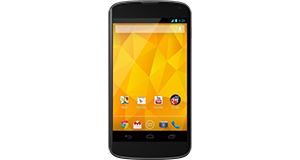
|
|


LG Optimus 3D P920 overview
Number of problems: 15
Number of solved problems: 9
Number of unsolved problems: 6
Problem resolution: 60%
Compared to other mobile phones:
LG Optimus 3D P920: Likelihood of getting a solution
Ranking: 178th out of 208
Most likely to get a solution:
HTC Salsa - problem resolution score of 100%
HTC Salsa - problem resolution score of 100%
Least likely to get a solution:
Nokia Asha 206 - 8 out of 28 problems solved
Nokia Asha 206 - 8 out of 28 problems solved
Solved problem list for the LG Optimus 3D P920
(Click on a problem to see the solution)The battery life is too short - the battery runs out quickly! This is a new phone, too!
I dropped my phone in water and now it's off. What do I do?
My phone is frozen and won't respond.
I can't take any photos any more.
The speaker doesn't work.
How do I improve battery life? It's not very good at the moment.
Microphone malfunction.
The screen has a strange purple tint. Is it broken?
The phone keeps restarting randomly. I can't get anything done because I keep having to sort it out after my phone reboots.
my phone lg 3d optimus on/off button is not working i cannot open with my fingures but when some one call the screen activating and i can use all application there was a no problem with software. once the screen is off i am not able to open with on/off button. please give me some solution
Unsolved problem list for the LG Optimus 3D P920
(Click on a problem to comment or help)My lg 3D p920 has no touch screen operation,won't slide up to open to access menus.
"my phone lg 3d optimus on/off button is not working i
cannot open with my fingures but when some one call the
screen activating and i can use all application there was
a no problem with software. once the screen is off i am
not able to open with on/off button. please give me some
solution" it can restart only when i put on the usb charger. Then its back to normal again.
people cant hear me when i make call
Everytime i try to use my mic to text or search it says google cannot be reached at the moment
My lg has network connection and won't reconnect back. I've tryed restarting it and nothing happens
I can hear people on my phone but they can't hear me at all
Solutions for the LG Optimus 3D P920
0 people also had this problem.
Problem: The battery life is too short - the battery runs out quickly! This is a new phone, too!
There are 0 comments on this problem.
Solution 1: Different phones have wildly different battery needs. Generally speaking, the bigger the screen and the more functions in use (e.g. bluetooth, wifi, gps etc), the faster your battery will run down. Google "Typical Battery life" for your phone and see what other people are getting. If you are getting much (more than about 40%) worse battery life and you have turned off all unnecessary applications, functions and services, your phone may have other issues and you should contact the manufacturer / your retailer to investigate further.
0 out of 0 people found this solution helpful.
Was this solution helpful?
There are 0 comments on this solution.

0 people also had this problem.
Problem: I dropped my phone in water and now it's off. What do I do?
There are 0 comments on this problem.
Solution 1: Cut the power. Do this now. Don't turn it on.
In an ideal world, you would remove the battery to make sure there is no power going through the phone. The two main types of damage you are likely to do to your phone if it's been exposed to water are:
(1) Short circuit - power running though the phone could short circuit the electrical components inside. Cut the power immediately to minimise this risk.
(2) Corrosion - the internals of the phone are not designed to come into contact with water and are likely to corrode more quickly. But there's not a lot you can do about this.
Best advice, remove the power and leave it a good, long time (days and days, not hours and hours) before you turn the phone on. If you are lucky and you cut the power in time, you might get away with it. Pour away any water you can that's trapped inside, then give the rest of the water enough time to evaporate away.
0 out of 0 people found this solution helpful.
Was this solution helpful?
There are 0 comments on this solution.
0 people also had this problem.
Problem: My phone is frozen and won't respond.
There are 0 comments on this problem.
Solution 1: Do a hard reset. Hold the power button down for ten seconds or so, or Google how to do a hard reset.
0 out of 0 people found this solution helpful.
Was this solution helpful?
There are 0 comments on this solution.
0 people also had this problem.
Problem: I can't take any photos any more.
There are 0 comments on this problem.
Solution 1: Have you checked how much storage space you have left? You might need to move some photos off your phone and onto your computer.
0 out of 0 people found this solution helpful.
Was this solution helpful?
There are 0 comments on this solution.


