

|
|


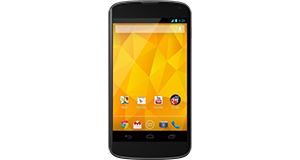
Sony Xperia SP overview
Number of problems: 22
Number of solved problems: 9
Number of unsolved problems: 13
Problem resolution: 41%
Compared to other mobile phones:
Sony Xperia SP: Likelihood of getting a solution
Ranking: 206th out of 208
Most likely to get a solution:
HTC Salsa - problem resolution score of 100%
HTC Salsa - problem resolution score of 100%
Least likely to get a solution:
Nokia Asha 206 - 8 out of 28 problems solved
Nokia Asha 206 - 8 out of 28 problems solved
Solved problem list for the Sony Xperia SP
(Click on a problem to see the solution)The battery life is too short - the battery runs out quickly! This is a new phone, too!
I dropped my phone in water and now it's off. What do I do?
My phone is frozen and won't respond.
I can't take any photos any more.
The speaker doesn't work.
How do I improve battery life? It's not very good at the moment.
Microphone malfunction.
The screen has a strange purple tint. Is it broken?
The phone keeps restarting randomly. I can't get anything done because I keep having to sort it out after my phone reboots.
Unsolved problem list for the Sony Xperia SP
(Click on a problem to comment or help)Jump to page:
[1] [2]
I have a problem getting the internet on my xperia sp :(. I have just recently had it back from Virgin repair and they daid they had no problems with the internet. Having had my phone back i have had to use the wifi to download all that ive needed to. Not very happy about that :(
Can't get the keypad to turn on while on a call screen is always off
My xperia sp is only 4 months old and pretty much from day one it has had issues. I have sent it away today to be looked at. It freezes regularly and turns itself off. The biggest freezing point is when using the camera. Other issues are it gets extremely hot, so hot that I cannot hold it to my ear when talking as it burns it and the other issue is the battery drains itself on standby as quickly as 2 hours. So 100% then in two hours completely dead. I closed all apps, disabled data and WiFi and it made no difference. I hope they sort out the problems and fix them or offer me a new one because just under two years to go with a phone doing that regularly is going to be pretty annoying.
I dropped my phone & the on/off button is stuck!
My Sony xperia sp is stuck in some kind of impaired vision mode...can't do anything help!!
My phone has used up 2.5GB of data today even though I barely touched it. Updates are set to only work on wifi, even if not 2.5GB seems ridiculous. Any thoughts or advise please?
My phone has used up 2.5GB of data today even though I barely touched it. Updates are set to only work on wifi, even if not 2.5GB seems ridiculous. Any thoughts or advise please?
I dropped my Sony Xperia sp and a bit bit of water touched the screen now the screen won't work but everything else does. The only problem is I can't see anything because the screen is blue
I deleted my calls list and found my contacts list has also gone walkabout is there any way to restore without manually doing it
suddenly the speakers of my phone and the ear piece. stop working and it get over heat since I updated it to 4.3 and battery runs quickly....... all ringr work properly but the video, music and other midea volume doesn't work...
Solutions for the Sony Xperia SP
0 people also had this problem.
Problem: The battery life is too short - the battery runs out quickly! This is a new phone, too!
There are 0 comments on this problem.
Solution 1: Different phones have wildly different battery needs. Generally speaking, the bigger the screen and the more functions in use (e.g. bluetooth, wifi, gps etc), the faster your battery will run down. Google "Typical Battery life" for your phone and see what other people are getting. If you are getting much (more than about 40%) worse battery life and you have turned off all unnecessary applications, functions and services, your phone may have other issues and you should contact the manufacturer / your retailer to investigate further.
0 out of 0 people found this solution helpful.
Was this solution helpful?
There are 0 comments on this solution.

0 people also had this problem.
Problem: I dropped my phone in water and now it's off. What do I do?
There are 0 comments on this problem.
Solution 1: Cut the power. Do this now. Don't turn it on.
In an ideal world, you would remove the battery to make sure there is no power going through the phone. The two main types of damage you are likely to do to your phone if it's been exposed to water are:
(1) Short circuit - power running though the phone could short circuit the electrical components inside. Cut the power immediately to minimise this risk.
(2) Corrosion - the internals of the phone are not designed to come into contact with water and are likely to corrode more quickly. But there's not a lot you can do about this.
Best advice, remove the power and leave it a good, long time (days and days, not hours and hours) before you turn the phone on. If you are lucky and you cut the power in time, you might get away with it. Pour away any water you can that's trapped inside, then give the rest of the water enough time to evaporate away.
0 out of 0 people found this solution helpful.
Was this solution helpful?
There are 0 comments on this solution.
0 people also had this problem.
Problem: My phone is frozen and won't respond.
There are 0 comments on this problem.
Solution 1: Do a hard reset. Hold the power button down for ten seconds or so, or Google how to do a hard reset.
0 out of 0 people found this solution helpful.
Was this solution helpful?
There are 0 comments on this solution.
0 people also had this problem.
Problem: I can't take any photos any more.
There are 0 comments on this problem.
Solution 1: Have you checked how much storage space you have left? You might need to move some photos off your phone and onto your computer.
0 out of 0 people found this solution helpful.
Was this solution helpful?
There are 0 comments on this solution.


