

|
|


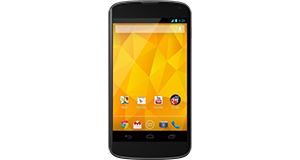
Huawei Ascend Y300 overview
Number of problems: 113
Number of solved problems: 15
Number of unsolved problems: 98
Problem resolution: 13%
Compared to other mobile phones:
Huawei Ascend Y300: Likelihood of getting a solution
Ranking: 38th out of 208
Most likely to get a solution:
HTC Salsa - problem resolution score of 100%
HTC Salsa - problem resolution score of 100%
Least likely to get a solution:
Nokia Asha 206 - 8 out of 28 problems solved
Nokia Asha 206 - 8 out of 28 problems solved
Solved problem list for the Huawei Ascend Y300
(Click on a problem to see the solution)Jump to page:
[1] [2]
I took a screen shot and it wouldn't work, so i tried to force close it, but before i could my phone RANDOMLY started to turn itself off and on again, but its stuck trying to turn itself on...HELP ?! ( I've even tried to take the battery out and out it back in, but it just gets stuck trying to turn itself on? )
Microphone malfunction.
Microphone malfunction.
Can receive text but can't send out
I dropped my phone in water and now it's off. What do I do?
Can't end phone call because of black screen, had this problem since I bought it. I'm getting rid of it.
The phone keeps restarting randomly. I can't get anything done because I keep having to sort it out after my phone reboots.
The phone keeps restarting randomly. I can't get anything done because I keep having to sort it out after my phone reboots.
a notification keeps coming on the screen saying google search has stopped , it interrupts anything that is being done .
After dialling or receiving a call, the phone stops the call after about 30 seconds. It rings out normally in both instances.
Unsolved problem list for the Huawei Ascend Y300
(Click on a problem to comment or help)Had just finished a call and went to text and my screen was white wouldn't let me so I turned it off then back on and it just kept saying huawei wouldn't upload then its sayn about reboot which I tried but still the same
My huaweiascendy300 has suddenly developed a black shape on my screen (definitely simetrical shape looks like a butterfly) phone has not been dropped and phone functions as normal. Touch screen works but this shape covers messages etc..
a notification keeps coming on the screen saying google search has stopped , it interrupts anything that is being done .
huawei ascend y300.... when connect to charger ...the charging IC getting heat-up very quickly and discharge all battery. and not charge again ..... when i charge bettery with universal charger after taking out of mobile, and put into mobile , mobile turns on but same problem ... when put on charging , ic getting heat -up very highly temprature , same problem with iphone 4 also .... any one have some solution...?????? please let me know at
ghzanfer604@gmail.com
thanks
My phone wont let me update or download any apps, it says ive got no memory left when i have plenty of memory like 9 gigabyte left somebody help me!
when i swich on my phone after 10 second swich off it self and i do not know which problem facing my phone
I can't make calls because "roaming on" keeps appearing on screen even though roaming is turned off. I have to turn the phone off and then on again, then it tells me I have no contacts. Then the contacts reappear again after a few minutes. It also won't accept the ringtone that I have chosen. I just get a feeble beep when I receive a message.
Huawei y300 flashlight does not turn off
The phone was not being used and on the coffee table, when it suddenly started crackling and hissing, almost like as if it was burning. What could this be? Is it safe? My son is now scared to use it.
My phone cannot connect to camera...so I can't takmore photos again
Solutions for the Huawei Ascend Y300
0 people also had this problem.
Problem: I took a screen shot and it wouldn't work, so i tried to force close it, but before i could my phone RANDOMLY started to turn itself off and on again, but its stuck trying to turn itself on...HELP ?! ( I've even tried to take the battery out and out it back in, but it just gets stuck trying to turn itself on? )
There are 0 comments on this problem.
Solution 1: My daughter phone was stuck on a app she couldnt close it ended up taking battery out but when turned on it wouldnt load stayed on emblem. she had to put battery in hold down power button while holding up volume.wait about 14 seconds let go a robot comes on use the volume button to scroll down to reset factory settings then press power button once. The phone goes off for abit then just follow instructions when comes bach on.
0 out of 0 people found this solution helpful.
Was this solution helpful?
There are 0 comments on this solution.

0 people also had this problem.
Problem: Microphone malfunction.
There is 1 comment on this problem.
Show/Hide
- what new software can i use
Helpful: 0/0 Do you think this comment was helpful?
Solution 1: Check for a new software / firmware update for your phone. You might even have to do a factory reset if this doesn't work, but that is an absolute last resort.
0 out of 1 person found this solution helpful.
Was this solution helpful?
There are 0 comments on this solution.
0 people also had this problem.
Problem: Microphone malfunction.
There is 1 comment on this problem.
Show/Hide
- what new software can i use
Helpful: 0/0 Do you think this comment was helpful?
Solution 1: Check for a new software / firmware update for your phone. You might even have to do a factory reset if this doesn't work, but that is an absolute last resort.
0 out of 0 people found this solution helpful.
Was this solution helpful?
There are 0 comments on this solution.
1 person also had this problem.
Problem: Can receive text but can't send out
There are 0 comments on this problem.
Solution 1: I am having the same problem. Have tried even restoring the factory settings. Somebody please help. This is the 1st that I see since my 1st cellphone in the 90's. Whew!
0 out of 0 people found this solution helpful.
Was this solution helpful?
There are 0 comments on this solution.


