

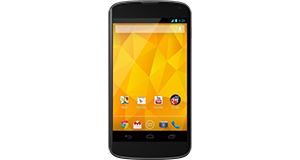
Huawei Ascend Y300 overview

Number of problems: 113

Number of solved problems: 15

Number of unsolved problems: 98

Problem resolution: 13%

Compared to other mobile phones:

Huawei Ascend Y300: Likelihood of getting a solution

Excellent 
Ranking: 38th out of 208
Most likely to get a solution:
HTC Salsa - problem resolution score of 100%
Least likely to get a solution:
Nokia Asha 206 - 8 out of 28 problems solved
Common problems with the Huawei Ascend Y300
Unsolved problem list for the Huawei Ascend Y300
(Click on a problem to comment or help)

Jump to page: [1] [2] [3] [4] [5] [6] ... [13]

If I make a phone call unless the call receiver hangs up I can not end my call. Recently something happened (not sure by Bluetooth or WiFi but the large red phone at bottom of screen (still there but in background)has been replaced with a red phone to left of screen If I touch that nothing happens even if I slide from centre to red phone. The only way I can end call is to switch the phone off and then switch on again. I am getting rather frustrated with the process.


I've had this phone for about 7/8 months, and the time on my phone keeps freezing and whenever I charge my phone overnight, it often stops at around 50%, and when it does I have to unplug it and then plug it in again to charge it for 100%! How do you fix the time and how do you charge my phone to go to 100% without unplugging it?


Phone won't charge


there is an error message that keeps popping on my screen every second, it says "unfortunately, the process com. google.process.gapps has stopped". i cant use my phone


Failure to complete opening to icon or home screen, it only stops at Huawei Logo in Red and the Brand name. what can i do to make it open completely?


Failure to complete opening to icon or home screen, it only stops at Huawei Logo in Red and the Brand name. what can i do to make it open completely?


my flashlight/camera flash stays lit even when phone is switched off, any help on this?


Cannot answer call it seems to be forwarding calls to voicemail also a list of answers come up to send message


hi,

at times i try to make a phone call but my phone simply won't call , i get a call ended immediately it also doesn't send texts sometimes , usually i have to restart it before making a call or sending a text.
can any one help me on how to solve this without having to restart?

thanks.


Got a message saying that storage space was running low. I had a few photos saved so emailed them to myself then deleted them. They unfortunately didn't arrive in my inbox (lesson learned there - don't delete until go through). However, even with these all deleted the amount of available storage space hasn't changed and I can't get rid of the message. Think a trip back to Carphone Warehouse is on the cards!


Solutions for the Huawei Ascend Y300
0 people also had this problem.

Problem: I took a screen shot and it wouldn't work, so i tried to force close it, but before i could my phone RANDOMLY started to turn itself off and on again, but its stuck trying to turn itself on...HELP ?! ( I've even tried to take the battery out and out it back in, but it just gets stuck trying to turn itself on? )

There are 0 comments on this problem.

Solution 1: My daughter phone was stuck on a app she couldnt close it ended up taking battery out but when turned on it wouldnt load stayed on emblem. she had to put battery in hold down power button while holding up volume.wait about 14 seconds let go a robot comes on use the volume button to scroll down to reset factory settings then press power button once. The phone goes off for abit then just follow instructions when comes bach on.
0 out of 0 people found this solution helpful.
Was this solution helpful?
There are 0 comments on this solution.

Post comments, submit alternative solutions or receive notifications


0 people also had this problem.

Problem: Microphone malfunction.

There is 1 comment on this problem. Show/Hide
- what new software can i use
Helpful: 0/0     Do you think this comment was helpful?

Solution 1: Check for a new software / firmware update for your phone. You might even have to do a factory reset if this doesn't work, but that is an absolute last resort.
0 out of 1 person found this solution helpful.
Was this solution helpful?
There are 0 comments on this solution.

Post comments, submit alternative solutions or receive notifications


0 people also had this problem.

Problem: Microphone malfunction.

There is 1 comment on this problem. Show/Hide
- what new software can i use
Helpful: 0/0     Do you think this comment was helpful?

Solution 1: Check for a new software / firmware update for your phone. You might even have to do a factory reset if this doesn't work, but that is an absolute last resort.
0 out of 0 people found this solution helpful.
Was this solution helpful?
There are 0 comments on this solution.

Post comments, submit alternative solutions or receive notifications


1 person also had this problem.

Problem: Can receive text but can't send out

There are 0 comments on this problem.

Solution 1: I am having the same problem. Have tried even restoring the factory settings. Somebody please help. This is the 1st that I see since my 1st cellphone in the 90's. Whew!
0 out of 0 people found this solution helpful.
Was this solution helpful?
There are 0 comments on this solution.

Post comments, submit alternative solutions or receive notifications


1 person also had this problem.

Problem: I dropped my phone in water and now it's off. What do I do?

There are 0 comments on this problem.

Solution 1: Cut the power. Do this now. Don't turn it on.

In an ideal world, you would remove the battery to make sure there is no power going through the phone. The two main types of damage you are likely to do to your phone if it's been exposed to water are:
(1) Short circuit - power running though the phone could short circuit the electrical components inside. Cut the power immediately to minimise this risk.
(2) Corrosion - the internals of the phone are not designed to come into contact with water and are likely to corrode more quickly. But there's not a lot you can do about this.

Best advice, remove the power and leave it a good, long time (days and days, not hours and hours) before you turn the phone on. If you are lucky and you cut the power in time, you might get away with it. Pour away any water you can that's trapped inside, then give the rest of the water enough time to evaporate away.
0 out of 0 people found this solution helpful.
Was this solution helpful?
There are 0 comments on this solution.

Post comments, submit alternative solutions or receive notifications


2 people also had this problem.

Problem: Can't end phone call because of black screen, had this problem since I bought it. I'm getting rid of it.

There are 0 comments on this problem.

Solution 1: I had this problem only to find that the strap on the top of the phone case was triggering the phone to go off (as it flaps around )because there is a sensor there and the phone thinks you want the phone off !!! SOLUTION -simple,get a new phone case with strap at the side NOT at the top ! How many phone cases are sold with the strap at the top and people do not realise the problem !!!!!?????????????
0 out of 0 people found this solution helpful.
Was this solution helpful?
There are 0 comments on this solution.

Post comments, submit alternative solutions or receive notifications


1 person also had this problem.

Problem: The phone keeps restarting randomly. I can't get anything done because I keep having to sort it out after my phone reboots.

There are 0 comments on this problem.

Solution 1: There may be a few reasons for this. In a phone that had a removable memory card, I would say to take that out and try again without it (or reformat the card) but in this case I think it is possibly due to either (a) an application that is running in the background that is causing the reboot, or (b) a faulty component. For (a), try to shut down any applications that are currently running, particularly any that are new to your phone. For (b), try turning off all the additional functions on your phone and see if that stops the problem. If so, turn them on one by one until you find out what is the root of the problem. If not, feel how warm your phone is when it restarts - is it overheating?
0 out of 0 people found this solution helpful.
Was this solution helpful?
There are 0 comments on this solution.

Post comments, submit alternative solutions or receive notifications


1 person also had this problem.

Problem: The phone keeps restarting randomly. I can't get anything done because I keep having to sort it out after my phone reboots.

There are 0 comments on this problem.

Solution 1: There may be a few reasons for this. In a phone that had a removable memory card, I would say to take that out and try again without it (or reformat the card) but in this case I think it is possibly due to either (a) an application that is running in the background that is causing the reboot, or (b) a faulty component. For (a), try to shut down any applications that are currently running, particularly any that are new to your phone. For (b), try turning off all the additional functions on your phone and see if that stops the problem. If so, turn them on one by one until you find out what is the root of the problem. If not, feel how warm your phone is when it restarts - is it overheating?
0 out of 0 people found this solution helpful.
Was this solution helpful?
There are 0 comments on this solution.

Post comments, submit alternative solutions or receive notifications


0 people also had this problem.

Problem: a notification keeps coming on the screen saying google search has stopped , it interrupts anything that is being done .

There are 0 comments on this problem.

Solution 1: How to solve the problem

0 out of 0 people found this solution helpful.
Was this solution helpful?
There are 0 comments on this solution.

Post comments, submit alternative solutions or receive notifications


0 people also had this problem.

Problem: After dialling or receiving a call, the phone stops the call after about 30 seconds. It rings out normally in both instances.

There are 0 comments on this problem.

Solution 1: Try taking out the sim and then after brief rub on clean clothing replace. This worked for me, after a live chat online with 02.
Jean
0 out of 0 people found this solution helpful.
Was this solution helpful?
There are 0 comments on this solution.

Post comments, submit alternative solutions or receive notifications


Jump to page: [1] [2]

Post a new question about the Huawei Ascend Y300
All problems on this page have been submitted and answered by users. If you have a problem with the Huawei Ascend Y300, please submit it below and we'll post it here.

Details of your problem:
Please ensure that the above box is not empty


Please note that all problems are moderated.


  Back to top
Solve an unsolved problem for the Huawei Ascend Y300

Can you help?
If you can solve a currently unsolved problem, please select the problem you can solve from the list below.
Even if you can't solve it, you can still comment on problems if you think it would help.


Jump to page: [1] [2] [3] [4] [5] [6] ... [13]
1 person also had this problem.

Problem: If I make a phone call unless the call receiver hangs up I can not end my call. Recently something happened (not sure by Bluetooth or WiFi but the large red phone at bottom of screen (still there but in background)has been replaced with a red phone to left of screen If I touch that nothing happens even if I slide from centre to red phone. The only way I can end call is to switch the phone off and then switch on again. I am getting rather frustrated with the process.

There are 0 comments on this problem.

Post solution, add your comments or receive notifications


0 people also had this problem.

Problem: I've had this phone for about 7/8 months, and the time on my phone keeps freezing and whenever I charge my phone overnight, it often stops at around 50%, and when it does I have to unplug it and then plug it in again to charge it for 100%! How do you fix the time and how do you charge my phone to go to 100% without unplugging it?

There are 0 comments on this problem.

Post solution, add your comments or receive notifications


1 person also had this problem.

Problem: Phone won't charge

There are 0 comments on this problem.

Post solution, add your comments or receive notifications


3 people also had this problem.

Problem: there is an error message that keeps popping on my screen every second, it says "unfortunately, the process com. google.process.gapps has stopped". i cant use my phone

There are 0 comments on this problem.

Post solution, add your comments or receive notifications


0 people also had this problem.

Problem: Failure to complete opening to icon or home screen, it only stops at Huawei Logo in Red and the Brand name. what can i do to make it open completely?

There are 0 comments on this problem.

Post solution, add your comments or receive notifications


2 people also had this problem.

Problem: Failure to complete opening to icon or home screen, it only stops at Huawei Logo in Red and the Brand name. what can i do to make it open completely?

There are 0 comments on this problem.

Post solution, add your comments or receive notifications


1 person also had this problem.

Problem: my flashlight/camera flash stays lit even when phone is switched off, any help on this?

There are 0 comments on this problem.

Post solution, add your comments or receive notifications


0 people also had this problem.

Problem: Cannot answer call it seems to be forwarding calls to voicemail also a list of answers come up to send message

There are 0 comments on this problem.

Post solution, add your comments or receive notifications


0 people also had this problem.

Problem: hi,

at times i try to make a phone call but my phone simply won't call , i get a call ended immediately it also doesn't send texts sometimes , usually i have to restart it before making a call or sending a text.
can any one help me on how to solve this without having to restart?

thanks.

There are 0 comments on this problem.

Post solution, add your comments or receive notifications


0 people also had this problem.

Problem: Got a message saying that storage space was running low. I had a few photos saved so emailed them to myself then deleted them. They unfortunately didn't arrive in my inbox (lesson learned there - don't delete until go through). However, even with these all deleted the amount of available storage space hasn't changed and I can't get rid of the message. Think a trip back to Carphone Warehouse is on the cards!

There are 0 comments on this problem.

Post solution, add your comments or receive notifications


Actions - No registration required
Find a Mobile Phone and Smart Phone
Acer
Amplicom
Apple
Binatone
Blackberry
Bluechip
CAT
Cubot
Doro
HTC
Huawei
JCB
LG
Microsoft
Motorola
Nokia
Panasonic
Prestigio
Samsung
Sonim
Sony
TTfone
Vodafone
Yarvik
ZTE