

|
|


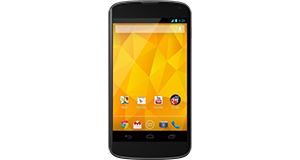
Huawei Ascend G510 overview
Number of problems: 68
Number of solved problems: 13
Number of unsolved problems: 55
Problem resolution: 19%
Compared to other mobile phones:
Huawei Ascend G510: Likelihood of getting a solution
Ranking: 43rd out of 208
Most likely to get a solution:
HTC Salsa - problem resolution score of 100%
HTC Salsa - problem resolution score of 100%
Least likely to get a solution:
Nokia Asha 206 - 8 out of 28 problems solved
Nokia Asha 206 - 8 out of 28 problems solved
Solved problem list for the Huawei Ascend G510
(Click on a problem to see the solution)Jump to page:
[1] [2]
My HUawei G510 wont turn on at all, and will not even except th charger
The phone keeps restarting randomly. I can't get anything done because I keep having to sort it out after my phone reboots.
Microphone malfunction.
Unsolved problem list for the Huawei Ascend G510
(Click on a problem to comment or help)how do I perform a systems software update
just updated my phone and it keeps resting its self when i lock it wont let me put to factory settings
My Huawei G510 was dropped in sick at a party and now my screenlock button isnt working and its off and i cant get it back on
when i put in the charger for my phone it has a bit off movement in it and it wont take a charger att all i have tried new chargers and still noting is my phone broke or is there a fix for it
my phone wont charge of a sudden
I'm unable to receive sms from 1 contact despite her saying she has sent me texts. able to send texts to her and I'm able to receive sms from other contacts
When i take a call the phone display goes off
my phone keeps freezing when i try to change system settings, eg sound, display etc, it gives me a black screen except for the drag down menu at the top, pressing home backs me out, but i am unable to personalize my phone!
I went on holiday and had connection on the plane i put airoplane mode on and ive turned it off. I have wifi but I have no reception/signal and I cant text or call anyone and bluetooth doesnt work. Ive reseted my phone aswell.
I dnt knw what happened sunddenly the 3 sensitive touch buttons in front are not working ( back, home and menu)..but the screen itself are working.
I
Solutions for the Huawei Ascend G510
2 people also had this problem.
Problem: My HUawei G510 wont turn on at all, and will not even except th charger
There are 0 comments on this problem.
Solution 1: Try taking the battery out for a few seconds then put it back in. This worked for me.
0 out of 4 people found this solution helpful.
Was this solution helpful?
There are 0 comments on this solution.

2 people also had this problem.
Problem: The phone keeps restarting randomly. I can't get anything done because I keep having to sort it out after my phone reboots.
There are 0 comments on this problem.
Solution 1: A hard reset could help
And if the hard reset won't help go back to the shop and explain the problem
1 out of 1 person found this solution helpful.
Was this solution helpful?
There are 0 comments on this solution.
0 out of 0 people found this solution helpful.
Was this solution helpful?
There are 0 comments on this solution.
0 out of 0 people found this solution helpful.
Was this solution helpful?
There are 0 comments on this solution.
1 person also had this problem.
Problem: Microphone malfunction.
There are 0 comments on this problem.
Solution 1: In my case it was VIBER who made the mic go off. When I uninstalled viber everything was OK again.
1 out of 1 person found this solution helpful.
Was this solution helpful?
There are 0 comments on this solution.
0 out of 0 people found this solution helpful.
Was this solution helpful?
There are 0 comments on this solution.
Jump to page:
[1] [2]


