

|
|


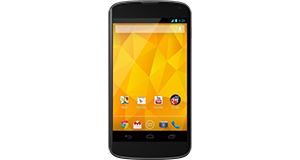
CAT B25 overview
Number of problems: 20
Number of solved problems: 11
Number of unsolved problems: 9
Problem resolution: 55%
Compared to other mobile phones:
CAT B25: Likelihood of getting a solution
Ranking: 13th out of 208
Most likely to get a solution:
HTC Salsa - problem resolution score of 100%
HTC Salsa - problem resolution score of 100%
Least likely to get a solution:
Nokia Asha 206 - 8 out of 28 problems solved
Nokia Asha 206 - 8 out of 28 problems solved
Solved problem list for the CAT B25
(Click on a problem to see the solution)Jump to page:
[1] [2]
Microphone malfunction.
The screen has a strange purple tint. Is it broken?
HELLO! I HAVE A CAT B25 AND THE SOFT DON'T ALOWED ME TO SELECT A SPECIFIC MELODY AND A SPECIFIC PHOTO FOR A NUMBER FROM MY AGENDA. HOW CAN I SOLVE THIS PROBLEM? THANK YOU!
Unsolved problem list for the CAT B25
(Click on a problem to comment or help)When I answer the phone I can't hear anyone on the other end unless I put the speaker phone on. I can't work out what i have done and how to change the setting.
1122 this code CAT B25
Solutions for the CAT B25
6 people also had this problem.
Problem: Microphone malfunction.
There are 0 comments on this problem.
Solution 1: Check for a new software / firmware update for your phone. You might even have to do a factory reset if this doesn't work, but that is an absolute last resort.
0 out of 0 people found this solution helpful.
Was this solution helpful?
There are 0 comments on this solution.

0 people also had this problem.
Problem: The screen has a strange purple tint. Is it broken?
There is 1 comment on this problem.
Show/Hide
- How do I turn the phone flashlight on and off?
Helpful: 0/0 Do you think this comment was helpful?
Solution 1: It's not necessarily broken. Perform a system (software) update and see if that fixes it.
0 out of 0 people found this solution helpful.
Was this solution helpful?
There are 0 comments on this solution.
1 person also had this problem.
Problem: HELLO! I HAVE A CAT B25 AND THE SOFT DON'T ALOWED ME TO SELECT A SPECIFIC MELODY AND A SPECIFIC PHOTO FOR A NUMBER FROM MY AGENDA. HOW CAN I SOLVE THIS PROBLEM? THANK YOU!
There are 0 comments on this problem.
Solution 1: How to create and personalize Caller Group and add contacts in (for CAT B25)
1. Select “Contacts”
2. Go to “Add new contact”
3. Select “Options”
4. Select “Caller groups”
5. Select “Add new group”
6. Set NAME
7. From “Options” -> “Save”
8. From “Options” -> “Groups Settings” set CALLER PICTURE/CALLER RINGTONE/CALLER VIDEO
Setting CALLER RINGTONE
With < and > buttons select Ringtone or go to “From file” with one click to <
Select "Options" -> and then “From file”
Open Phone storage
Select “Audio”
Select preferred Ringtone/Song
9. To add member select “View members” -> “Add”
• The List will be empty eventually and a “No contact available” warning will show
To add contact/s in this List go to the contact in your “Contacts” you want to add to the Caller Group
Select “Options”
Select “Copy”
Select “To phone”
Select “Yes”
A copy of the contact will appear on your contact list (with different icon in front of it, a small phone)
10. Return to the Caller Group you created (Contacts -> Add new contact -> Options -> Caller Groups -> Options -> View members -> Options -> Add members -> OK
1 out of 1 person found this solution helpful.
Was this solution helpful?
There are 0 comments on this solution.
Jump to page:
[1] [2]


