

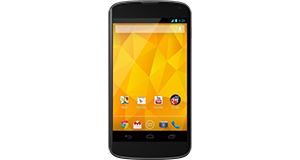
LG G2 overview

Number of problems: 28

Number of solved problems: 10

Number of unsolved problems: 18

Problem resolution: 36%

Compared to other mobile phones:

LG G2: Likelihood of getting a solution

Excellent 
Ranking: 32nd out of 208
Most likely to get a solution:
HTC Salsa - problem resolution score of 100%
Least likely to get a solution:
Nokia Asha 206 - 8 out of 28 problems solved
Common problems with the LG G2


Solutions for the LG G2
0 people also had this problem.

Problem: The battery life is too short - the battery runs out quickly! This is a new phone, too!

There are 0 comments on this problem.

Solution 1: Different phones have wildly different battery needs. Generally speaking, the bigger the screen and the more functions in use (e.g. bluetooth, wifi, gps etc), the faster your battery will run down. Google "Typical Battery life" for your phone and see what other people are getting. If you are getting much (more than about 40%) worse battery life and you have turned off all unnecessary applications, functions and services, your phone may have other issues and you should contact the manufacturer / your retailer to investigate further.
0 out of 0 people found this solution helpful.
Was this solution helpful?
There are 0 comments on this solution.

Post comments, submit alternative solutions or receive notifications


0 people also had this problem.

Problem: I dropped my phone in water and now it's off. What do I do?

There are 0 comments on this problem.

Solution 1: Cut the power. Do this now. Don't turn it on.

In an ideal world, you would remove the battery to make sure there is no power going through the phone. The two main types of damage you are likely to do to your phone if it's been exposed to water are:
(1) Short circuit - power running though the phone could short circuit the electrical components inside. Cut the power immediately to minimise this risk.
(2) Corrosion - the internals of the phone are not designed to come into contact with water and are likely to corrode more quickly. But there's not a lot you can do about this.

Best advice, remove the power and leave it a good, long time (days and days, not hours and hours) before you turn the phone on. If you are lucky and you cut the power in time, you might get away with it. Pour away any water you can that's trapped inside, then give the rest of the water enough time to evaporate away.
0 out of 0 people found this solution helpful.
Was this solution helpful?
There are 0 comments on this solution.

Post comments, submit alternative solutions or receive notifications


0 people also had this problem.

Problem: I can't take any photos any more.

There are 0 comments on this problem.

Solution 1: Have you checked how much storage space you have left? You might need to move some photos off your phone and onto your computer.
0 out of 0 people found this solution helpful.
Was this solution helpful?
There are 0 comments on this solution.

Post comments, submit alternative solutions or receive notifications


0 people also had this problem.

Problem: The speaker doesn't work.

There are 0 comments on this problem.

Solution 1: Obvious solution first - have you checked all of the different volume settings? Some phones have more than one volume setting and you might have to check the instructions to see if there are any other volume settings. If this is not the case, have you caused any damage to the speaker, by dropping the phone or inserting anything into the speaker? Check for signs of damage.

Also check the phone isn't in a silent mode or a do not disturb profile.
0 out of 0 people found this solution helpful.
Was this solution helpful?
There are 0 comments on this solution.

Post comments, submit alternative solutions or receive notifications


0 people also had this problem.

Problem: How do I improve battery life? It's not very good at the moment.

There are 0 comments on this problem.

Solution 1: Try to shut down applications and functions when you're not using them. Charge the battery to full, don't remove it before it's fully charged and try not to leave it plugged in for too long after it has reached 100%.

The screen is a massive user of battery life, so turning down the brightness setting will make a big difference.
0 out of 0 people found this solution helpful.
Was this solution helpful?
There are 0 comments on this solution.

Post comments, submit alternative solutions or receive notifications


0 people also had this problem.

Problem: The screen has a strange purple tint. Is it broken?

There are 0 comments on this problem.

Solution 1: It's not necessarily broken. Perform a system (software) update and see if that fixes it.
0 out of 0 people found this solution helpful.
Was this solution helpful?
There are 0 comments on this solution.

Post comments, submit alternative solutions or receive notifications


0 people also had this problem.

Problem: The phone keeps restarting randomly. I can't get anything done because I keep having to sort it out after my phone reboots.

There are 0 comments on this problem.

Solution 1: There may be a few reasons for this. In a phone that had a removable memory card, I would say to take that out and try again without it (or reformat the card) but in this case I think it is possibly due to either (a) an application that is running in the background that is causing the reboot, or (b) a faulty component. For (a), try to shut down any applications that are currently running, particularly any that are new to your phone. For (b), try turning off all the additional functions on your phone and see if that stops the problem. If so, turn them on one by one until you find out what is the root of the problem. If not, feel how warm your phone is when it restarts - is it overheating?
0 out of 0 people found this solution helpful.
Was this solution helpful?
There are 0 comments on this solution.

Post comments, submit alternative solutions or receive notifications


3 people also had this problem.

Problem: I have just changed my SIM plan on unlocked G2 from O2 to Tesco Mobile.
While using the O2 SIM 'network mode' displayed 4G option, now changing to Tesco on a 4G plan, the options are GSM/WCDMA auto, and not the 4G option, so I have a 4G plan but cannot connect to 4G.
Does anyone have any information they can share.

There are 0 comments on this problem.

Solution 1: I have now been informed by LG, that Tesco Mobile have not yet approved LG's 4G software, and until this is approved, I will not be able to get 4G on my handset with Tesco Mobile. Not sure how to or who to escalate this to, as the Tesco online and on phone support do not seem to understand. Anyone who has any ideas on who I should contact, the information would be great appreciated.
0 out of 0 people found this solution helpful.
Was this solution helpful?
There are 0 comments on this solution.

Post comments, submit alternative solutions or receive notifications


4 people also had this problem.

Problem: Microphone malfunction.

There are 0 comments on this problem.

Solution 1: Check for a new software / firmware update for your phone. You might even have to do a factory reset if this doesn't work, but that is an absolute last resort.
0 out of 2 people found this solution helpful.
Was this solution helpful?
There are 0 comments on this solution.

Post comments, submit alternative solutions or receive notifications


1 person also had this problem.

Problem: My phone is frozen and won't respond.

There are 0 comments on this problem.

Solution 1: Do a hard reset. Hold the power button down for ten seconds or so, or Google how to do a hard reset.
0 out of 0 people found this solution helpful.
Was this solution helpful?
There are 0 comments on this solution.

Post comments, submit alternative solutions or receive notifications


Jump to page: [1]

Post a new question about the LG G2
All problems on this page have been submitted and answered by users. If you have a problem with the LG G2, please submit it below and we'll post it here.

Details of your problem:
Please ensure that the above box is not empty


Please note that all problems are moderated.


  Back to top
Solve an unsolved problem for the LG G2

Can you help?
If you can solve a currently unsolved problem, please select the problem you can solve from the list below.
Even if you can't solve it, you can still comment on problems if you think it would help.


Jump to page: [1] [2]
0 people also had this problem.

Problem: The drop down menu won't come down any more worked in the morning now it won't pull down

There are 0 comments on this problem.

Post solution, add your comments or receive notifications


0 people also had this problem.

Problem: I'm getting pop up adds quite frequently
How do I get rid of them

There are 0 comments on this problem.

Post solution, add your comments or receive notifications


0 people also had this problem.

Problem: Phone working fine, then seemed to get hit, now siren died. This is my 2nd phone in 4 months . The first one, the sound died. Anyone else having these problems

There are 0 comments on this problem.

Post solution, add your comments or receive notifications


0 people also had this problem.

Problem: After dropping my phone in water the speakers are not working. The speaker phone works, but not the normal speaker. Can anyone help?

There are 0 comments on this problem.

Post solution, add your comments or receive notifications


0 people also had this problem.

Problem: Can't download a users manual

There are 0 comments on this problem.

Post solution, add your comments or receive notifications


0 people also had this problem.

Problem: I dropped my phone in water; everything still works, except for the screen. I just answered the phone and had a conversation, but I couldn't see who was calling..and there's no condensation around the screen like there normally was..the phone didn't shut off when I pulled the back off either. Suggestions?

There are 0 comments on this problem.

Post solution, add your comments or receive notifications


0 people also had this problem.

Problem: I drop it in water, I put the phone in rice, but now my LCD is dim

There is 1 comment on this problem. Show/Hide
- the sssaaaame exact thing happened to me, my screen occasionally gets bright like it wants to work but then its like SIKE! lol,

Did you find a solution?
Helpful: 0/0     Do you think this comment was helpful?

Post solution, add your comments or receive notifications


0 people also had this problem.

Problem: The speakers work but when i answer a call they cant hear me how do i fix this issue

There are 0 comments on this problem.

Post solution, add your comments or receive notifications


Actions - No registration required
Find a Mobile Phone and Smart Phone
Acer
Amplicom
Apple
Binatone
Blackberry
Bluechip
CAT
Cubot
Doro
HTC
Huawei
JCB
LG
Microsoft
Motorola
Nokia
Panasonic
Prestigio
Samsung
Sonim
Sony
TTfone
Vodafone
Yarvik
ZTE