

|
|


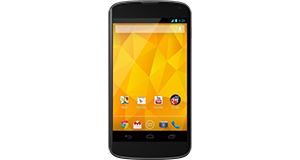
Huawei Ascend P2 overview
Number of problems: 41
Number of solved problems: 24
Number of unsolved problems: 17
Problem resolution: 59%
Compared to other mobile phones:
Huawei Ascend P2: Likelihood of getting a solution
Ranking: 2nd out of 208
Most likely to get a solution:
HTC Salsa - problem resolution score of 100%
HTC Salsa - problem resolution score of 100%
Least likely to get a solution:
Nokia Asha 206 - 8 out of 28 problems solved
Nokia Asha 206 - 8 out of 28 problems solved
Solved problem list for the Huawei Ascend P2
(Click on a problem to see the solution)The battery doesn't want to hold the charge it takes ages to charge like 12 hours to do 50% and then drains really quickly, any ideas?
Drops network signal.No coverage.Random,could be fine for 24 hours then suddenly drop.Turn off phone and restart to connect.
My phone is frozen and won't respond.
My phone has just switched itself off and then keeps turning on again but as soon as I try to unlock it - it has turned itself off again. It keeps turning on and off all the time.
The phone keeps restarting randomly. I can't get anything done because I keep having to sort it out after my phone reboots.
Phone regularly freezes and icons are often not displayed correctly. I have cleared the cache etc. but this hasn't helped. It will occasionally freeze, get hotter and hotter and stat like that for 5+ mins
I dropped my phone in water and now it's off. What do I do?
Unsolved problem list for the Huawei Ascend P2
(Click on a problem to comment or help)I'm playing the tribez game and it's constantly telling me to check my internet connection... i can't progress in the game... how do I check this... my connection is fine for everything else
Solutions for the Huawei Ascend P2
0 people also had this problem.
Problem: The battery doesn't want to hold the charge it takes ages to charge like 12 hours to do 50% and then drains really quickly, any ideas?
There are 0 comments on this problem.
Solution 1: i would suggest loading in to the recovery mode, clear the cache partition only. reboot it. after that, give it a full charge , once it reaches 100%. unplug the charger and let it naturally empty its charge, once it does this leave it off for a few hours, then charge fully again. and turn on.
0 out of 0 people found this solution helpful.
Was this solution helpful?
There are 0 comments on this solution.

1 person also had this problem.
Problem: Drops network signal.No coverage.Random,could be fine for 24 hours then suddenly drop.Turn off phone and restart to connect.
There are 0 comments on this problem.
Solution 1: Try holding your phone differently. I believe the antenna is placed in the bottom of the phone for some reason.
0 out of 0 people found this solution helpful.
Was this solution helpful?
There are 0 comments on this solution.
1 person also had this problem.
Problem: My phone is frozen and won't respond.
There are 0 comments on this problem.
Solution 1: Do a hard reset. Hold the power button down for ten seconds or so, or Google how to do a hard reset.
0 out of 0 people found this solution helpful.
Was this solution helpful?
There are 0 comments on this solution.
9 people also had this problem.
Problem: My phone has just switched itself off and then keeps turning on again but as soon as I try to unlock it - it has turned itself off again. It keeps turning on and off all the time.
There are 0 comments on this problem.
Solution 1: If you can get it to stay on long enough.Install google now launcher. Uninstall huawei app updates and disable as many of the huawei pre installed apps as you can including the multiple language packs. Especially make sure you uninstall and disable the "me" widget. This was the last thing I did before the phone stopped having this issue. Just disabling the ME widget won't work on its own by the way. On the plus you'll have an app drawer with the google now launcher
0 out of 0 people found this solution helpful.
Was this solution helpful?
There are 0 comments on this solution.


