

|
|


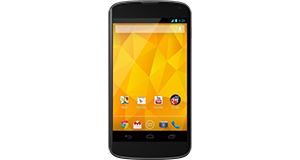
Huawei Ascend W1 overview
Number of problems: 20
Number of solved problems: 11
Number of unsolved problems: 9
Problem resolution: 55%
Compared to other mobile phones:
Huawei Ascend W1: Likelihood of getting a solution
Ranking: 22nd out of 208
Most likely to get a solution:
HTC Salsa - problem resolution score of 100%
HTC Salsa - problem resolution score of 100%
Least likely to get a solution:
Nokia Asha 206 - 8 out of 28 problems solved
Nokia Asha 206 - 8 out of 28 problems solved
Solved problem list for the Huawei Ascend W1
(Click on a problem to see the solution)Jump to page:
[1] [2]
Where is the GPS setting?
The instructions say that there should be a switch in Settings/Location for GPS but I only have 'Location Services' on or off. How can I tell if my GPS is working?
Unsolved problem list for the Huawei Ascend W1
(Click on a problem to comment or help)My phone stopped deceiving yahoo mails
poor signal on my W1
phone reboots when charging instead of shutting down
Anybody having problems saving changes to the SIM contact list?
Each time I restart my phone, the pinned tile which relates to the contact entry for my wife is removed and the contact entry goes back to the original one, which had a phone number error in it. I correct the phone numnber (again) and reinstate the custom ring and text tones (again), save and repin the entry to the home page (again) and off we go again. Until I power the phone off. No other contacts affected.
I'm using the phone with a Jabra EasyGo headset. For telephone calls, it's perfect. No app (muisc / sat nav) will produce sound through the headset, using the speaker instead. Is this down to the model of headset I'm using?
my phone shut down after it ran out of battery charge, i have tried charging it but its not fully restarting.it keeps shutting itself down and restarts upto the point where there's a huawei logo on the screen then it goes off again. what could be the problem?
I am not able to open any videos on my whatsapp it tells me it cannot open the file on my phone.
And also I can't send pictures to people on my whatsapp keeps saying the pic is missing or might be corrupt.
Please help
is this a good phone or not?
my phone will not start just keeps going 2 settings with 2 cog wheels spinning around what would be the problem
How do you turn the shutter sound on the camera off?
Solutions for the Huawei Ascend W1
0 people also had this problem.
Problem: Where is the GPS setting?
The instructions say that there should be a switch in Settings/Location for GPS but I only have 'Location Services' on or off. How can I tell if my GPS is working?
There are 0 comments on this problem.
Solution 1: Mismatch between instructions and phone. If your 'Location' mode is enabled, then your GPS is on and vice versa.
0 out of 0 people found this solution helpful.
Was this solution helpful?
There are 0 comments on this solution.
All problems on this page have been submitted and answered by users. If you have a problem with the Huawei Ascend W1, please submit it below and we'll post it here.
 | Back to top |
Can you help?
If you can solve a currently unsolved problem, please select the problem you can solve from the list below.
Even if you can't solve it, you can still comment on problems if you think it would help.
Problem: My phone stopped deceiving yahoo mails
If you can solve a currently unsolved problem, please select the problem you can solve from the list below.
Even if you can't solve it, you can still comment on problems if you think it would help.
Jump to page:
[1]
0 people also had this problem.
Problem: My phone stopped deceiving yahoo mails
There are 0 comments on this problem.


